Possible Bugs & Errors Fix
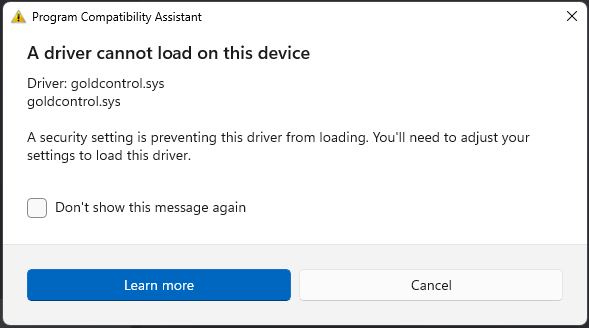
A driver cannot load on this device
If you encounter this error, please follow the instructions below:
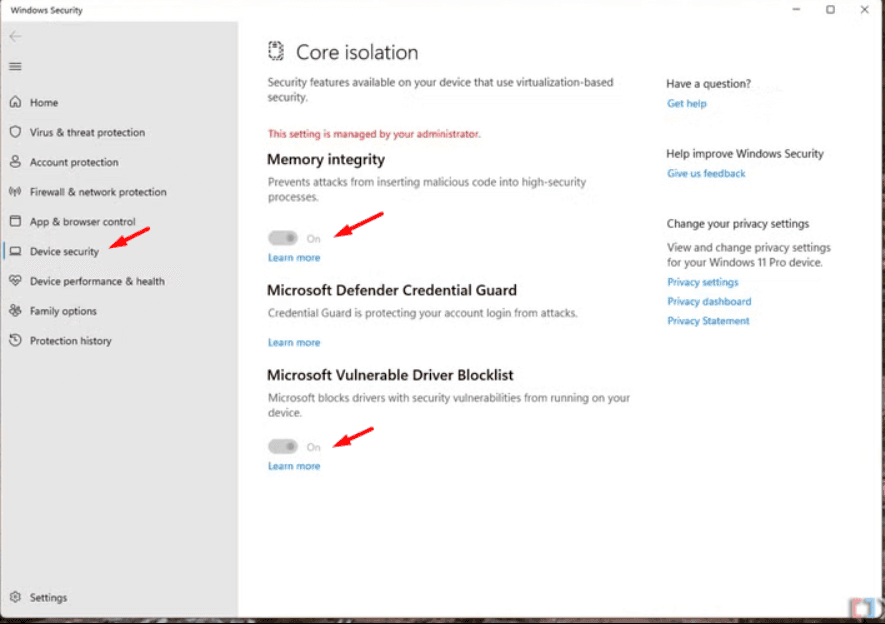
How to Disable Core Isolation
- Open the Search Bar
Click the magnifying glass icon or press Windows + S on your keyboard.
- Search for Core Isolation
Type Core Isolation into the search bar.
- Open Core Isolation Settings
Click on the Core Isolation option that appears in the search results.
- Disable Memory Integrity
In the Core Isolation page, find the Memory Integrity toggle.
Click the toggle to switch it Off.
- Disable Microsoft Vulnerable Driver Blocklist
Scroll down or look for the Microsoft Vulnerable Driver Blocklist option.
Turn the toggle Off.
- Restart Your Computer
After making these changes, restart your PC to apply them.